Have you ever wondered why some websites feel like a breath of fresh air while others leave you scratching your head in confusion? The secret lies in the type of design chosen for each site.
As someone who’s been a web designer for over a decade, I can tell you that choosing the right design approach is like selecting the perfect outfit for a job interview – it can make or break your online presence.
But here’s the thing: with so many web design styles out there, how do you know which one is right for your project? Whether you’re a business owner looking to revamp your online storefront, a budding designer trying to understand the landscape, or just someone curious about the web, this guide will walk you through the fascinating world of website design types.
The Evolution of Web Design
Before we dive into the different types of website design, let’s take a quick journey through time. Remember the days of blinking text and auto-playing MIDI files? We’ve come a long way since then!
The Early Days: Static HTML
- Simple, text-based layouts
- Limited functionality
- Difficult to update without coding knowledge
The Rise of Dynamic Websites
- Introduction of Content Management Systems (CMS)
- Easier updates and content management
- More interactive features
The Mobile Revolution
- Responsive design becomes crucial
- Touch-friendly interfaces gain importance
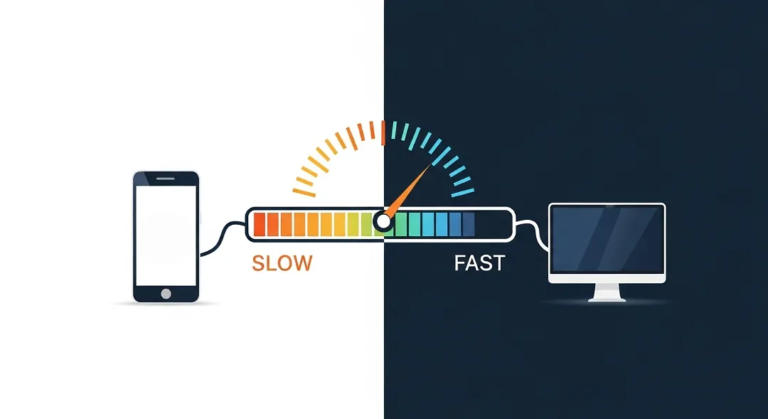
- Loading speed becomes a key factor
The Current Landscape
- User experience (UX) takes center stage
- Accessibility and inclusivity become priorities
- Integration of advanced technologies (AI, VR, AR)
Different Types of Web Design Styles
Now that we’ve set the stage, let’s explore the different types of website design that dominate the modern web.
Table of Contents
1. Static Website Design
Static websites are like the vinyl records of the web world – simple, classic, and sometimes exactly what you need.
Characteristics of Static Websites
- Fixed content that rarely changes
- Typically coded in HTML and CSS
- Fast loading times and high security
Best Use Cases
- Small business websites with infrequent updates
- Portfolio sites for creatives
- Landing pages for specific campaigns
Pros and Cons
Pros:
- Simple to create and host
- Very secure due to lack of dynamic elements
- Excellent performance and fast loading times
Cons:
- Difficult to update without technical knowledge
- Limited functionality
- Not suitable for frequently updated content
2. Dynamic Website Design
If static websites are vinyl records, dynamic websites are like streaming services – flexible, interactive, and always up-to-date.
Characteristics of Dynamic Websites
- Content generated in real-time
- Database-driven
- Often built with server-side languages like PHP, Python, or Ruby
Best Use Cases
- E-commerce sites
- Social media platforms
- News websites and blogs
Pros and Cons
Pros:
- Easy to update and manage content
- Highly interactive and customizable
- Can handle complex functionality
Cons:
- More complex to develop and maintain
- Potentially slower loading times
- Higher security risks due to increased complexity
3. Responsive Website Design
In a world where people browse on everything from smartwatches to smart fridges, responsive design is the Swiss Army knife of web design.
Characteristics of Responsive Websites
- Adapts layout based on screen size and device
- Fluid grids and flexible images
- Single codebase for all devices
Best Use Cases
- Any website that needs to cater to mobile users (which is pretty much all of them nowadays)
- Content-heavy sites like blogs and news portals
- E-commerce sites looking to capture mobile shoppers
Pros and Cons
Pros:
- Provides a consistent experience across devices
- Improves SEO as Google favors mobile-friendly sites
- Cost-effective compared to maintaining separate mobile and desktop sites
Cons:
- Can be challenging to implement complex layouts responsively
- May require compromise in design for certain screen sizes
- Performance can suffer if not optimized properly
4. Single Page Application (SPA) Design
SPAs are like those fancy infinity pools – seamless, smooth, and a bit show-offy (in a good way).
Characteristics of SPAs
- Loads a single HTML page and dynamically updates content
- Smooth, app-like user experience
- Often built with frameworks like React, Vue, or Angular
Best Use Cases
- Web applications with complex interactions
- Dashboards and data-heavy interfaces
- Social media platforms
Pros and Cons
Pros:
- Smooth, fast user experience after initial load
- Reduced server load as only data is transferred, not entire pages
- Can work offline with proper implementation
Cons:
- Initial load can be slower
- SEO can be challenging (though this has improved)
- More complex to develop compared to traditional websites
5. Progressive Web App (PWA) Design
PWAs are the chameleons of the web world – websites that can masquerade as native apps.
Characteristics of PWAs
- Can be installed on devices like native apps
- Works offline or with low-quality internet connections
- Access to device features like push notifications
Best Use Cases
- E-commerce sites looking for app-like engagement
- News and content sites
- Web-based tools and utilities
Pros and Cons
Pros:
- Combines the best of web and native apps
- Improved user engagement and retention
- Works across all devices with a single codebase
Cons:
- Some advanced features may not work on all browsers
- Can be more complex to develop than traditional websites
- May require education for users not familiar with PWAs
6. Adaptive Website Design
If responsive design is a chameleon, adaptive design is a shapeshifter – predefined layouts for different screen sizes.
Characteristics of Adaptive Websites
- Multiple fixed layout sizes
- Serves different versions based on detected device
- Often uses server-side components to detect devices
Best Use Cases
- Sites with very specific design requirements for different devices
- High-traffic sites looking to optimize performance
- Websites retrofitting mobile functionality to existing desktop sites
Pros and Cons
Pros:
- Can be highly optimized for specific devices
- Potentially faster than responsive design on intended devices
- Allows for more control over the user experience on different devices
Cons:
- More complex to develop and maintain
- May not cover all possible screen sizes
- Can be less flexible than responsive design for future device types
7. Minimalist Website Design
In a world of digital clutter, minimalist design is like a deep breath of fresh air.
Characteristics of Minimalist Websites
- Simple, clean layouts
- Limited color palettes
- Focus on essential content and functionality
Best Use Cases
- Portfolio sites for creatives
- Luxury brand websites
- Products with a simple, focused message
Pros and Cons
Pros:
- Fast loading times due to minimal elements
- Clear focus on content and calls-to-action
- Often results in a timeless, elegant look
Cons:
- Can be challenging to convey complex information
- May not work for content-heavy sites
- Risk of looking too similar to other minimalist sites if not executed well
8. Brutalist Website Design
Brutalism in web design is like punk rock – raw, unapologetic, and not for everyone.
Characteristics of Brutalist Websites
- Raw, bare-bones aesthetic
- Often ignores conventional design rules
- Can be intentionally difficult to navigate
Best Use Cases
- Artistic and experimental websites
- Brands looking to make a bold statement
- Temporary sites for events or campaigns
Pros and Cons
Pros:
- Highly memorable and unique
- Can create a strong emotional response
- Often results in very fast loading times
Cons:
- Can be polarizing and off-putting to some users
- May sacrifice usability for aesthetic
- Not suitable for most mainstream business websites
9. Illustrations and 3D Design
Websites featuring custom illustrations or 3D elements are like the concept cars of the web world – eye-catching and innovative.
Characteristics of Illustration/3D Websites
- Heavy use of custom graphics or 3D elements
- Often incorporates animation and interactivity
- Unique and highly branded visual experiences
Best Use Cases
- Creative agencies and design firms
- Product launches and showcases
- Educational and storytelling websites
Pros and Cons
Pros:
- Highly engaging and memorable
- Can explain complex concepts in a visual way
- Sets the site apart from template-based designs
Cons:
- Can be expensive and time-consuming to create
- May slow down site performance if not optimized
- Requires regular updates to keep the design fresh
10. Dark Mode Design
Dark mode isn’t just easier on the eyes – it’s become a design trend in its own right.
Characteristics of Dark Mode Websites
- Dark backgrounds with light text
- Often allows users to toggle between light and dark modes
- Careful use of color to ensure readability and contrast
Best Use Cases
- Multimedia-heavy websites
- Dashboards and applications used for extended periods
- Brands with a sleek, modern aesthetic
Pros and Cons
Pros:
- Reduces eye strain in low-light conditions
- Can make colors and design elements pop
- Often perceived as modern and sophisticated
Cons:
- May not be suitable for all types of content
- Requires careful design to ensure readability
- Can be challenging to implement across an entire site
FAQs
Q: Which type of website design is best for SEO?
A: While all types can be optimized for SEO, responsive design is often favored by search engines due to its mobile-friendliness. However, the most important factor is always high-quality, relevant content.
Q: How often should I redesign my website?
A: It depends on your industry and needs, but generally, a major redesign every 2-3 years can help keep your site fresh and up-to-date with current trends and technologies.
Q: Is it possible to combine different types of website design?
A: Absolutely! Many modern websites incorporate elements from multiple design types. For example, a responsive design might also use minimalist principles and offer a dark mode option.
Q: How important is loading speed when choosing a website design type?
A: Very important. Regardless of the design type, optimizing for speed is crucial for user experience and SEO. Some design types, like static and minimalist, naturally lend themselves to faster loading times.
Related: 20 Best CDNs for WordPress Sites to Boost Speed (Free & Paid Options)
Q: Can I change my website design type without starting from scratch?
A: In many cases, yes. However, the difficulty depends on the extent of the change. Moving from a static to a dynamic site, for example, would require significant work, while implementing a dark mode option might be relatively straightforward.
Conclusion: Choosing the Right Design for Your Website
As we’ve seen, the types of website design are rich and varied, with each type offering its own strengths and challenges. The key to success lies not in following trends blindly, but in understanding your specific needs, your audience, and your content.
Remember, the best website design is one that serves its purpose effectively – whether that’s selling products, sharing information, or creating an immersive experience. As you embark on your web design journey, consider these factors:
- Your audience and their preferences
- The type of content you’ll be sharing
- Your technical capabilities and resources
- Your long-term goals for the website
By carefully considering these factors and the different design types we’ve explored, you’ll be well-equipped to make an informed decision about the best approach for your website.
What type of website design resonates most with your project? Have you had experience with any of these design types? Share your thoughts and experiences in the comments below – let’s learn from each other and continue to push the boundaries of what’s possible on the web!