

If you are still serving static JPEGs from your origin server in 2026, you are fighting a losing battle against Google’s algorithm. High-resolution visuals are non-negotiable for modern web design, but they are also the primary assassins of your Largest Contentful Paint (LCP) score.
To pass Google’s strict performance thresholds, you don’t just need a caching layer, you need an intelligent delivery network. Choosing the best image CDN for Core Web Vitals optimization is the single highest-ROI technical SEO decision you can make this year.
But not all Content Delivery Networks (CDNs) are created equal. A traditional CDN simply stores your slow, bloated images in a different location. A modern Image CDN actively rewrites, resizes, and compresses your media on the fly, milliseconds before the user even sees it.
In this exhaustive guide, we are going to tear down the traditional image pipeline. We will explore the critical difference between edge caching and edge computing, provide a definitive image optimization CDN comparison 2026, and show you exactly how to automate your way to a green LCP score.
Table of Contents
Traditional CDN vs. Image CDN: What’s the Difference?
To understand why your current setup is failing, you must understand the evolution of content delivery.
The Traditional CDN (The Warehouse)
A legacy CDN (like basic Amazon CloudFront or older Akamai setups) acts like a digital warehouse. If you upload a massive 3MB, 4000-pixel wide PNG to your server, the CDN copies that exact 3MB file and distributes it to servers around the world. When a user on a mobile phone requests the image, the CDN serves the 3MB file. It’s faster because the server is closer, but the payload is still disastrously heavy.
The Modern Image CDN (The Factory)
An Image CDN is an active processing factory at the edge of the network. When a mobile user requests that same 3MB PNG, the Image CDN intercepts the request. In milliseconds, it detects the user’s screen size, identifies their browser capabilities, converts the image to a 30KB AVIF file, resizes it perfectly to the mobile viewport, and then delivers it.
What Makes the Best Image CDN for Core Web Vitals Optimization?
If you are shopping for a new provider, do not settle for basic lossless compression. To truly bulletproof your LCP and Cumulative Layout Shift (CLS) scores, your CDN must check these four boxes natively:
1. Automatic Content Negotiation (The AVIF Standard)
You shouldn’t have to write <picture> tags with five different sources manually. A top-tier CDN operates as an automatic AVIF conversion CDN.
It works by reading the HTTP Accept header sent by the user’s browser. If the browser supports AVIF, the CDN generates and serves an AVIF. If the browser is older and only supports WebP, it serves WebP. If it’s a legacy system, it defaults to a highly optimized JPEG. This ensures perfect browser compatibility with zero backend coding required.
2. Device-Aware Resizing (Client Hints)
Serving a 2000px wide hero image to a 400px wide iPhone is an LCP death sentence. Modern Image CDNs utilize HTTP Client Hints (Sec-CH-UA). The CDN reads the user’s exact viewport width and device pixel ratio before generating the image, ensuring the user only downloads the exact pixels they can see.
3. Automatic CLS Prevention
Cumulative Layout Shift happens when images load without explicit width and height dimensions, causing the page to jump. The best Image CDNs can automatically parse your HTML at the edge, calculate the aspect ratio of the image, and inject the missing width and height attributes directly into your <img> tags before the HTML reaches the browser.
4. Edge Node Density (The TTFB Factor)
To improve LCP with edge caching, the physical location of the server matters. Your Time to First Byte (TTFB) is the foundation of your LCP. If your CDN has 300 points of presence (PoPs) globally, the connection routing time is essentially eliminated, allowing the image download to begin almost instantly.
Image Optimization CDN Comparison 2026
Let’s look at the market leaders. Which platform actually delivers on the promise of effortless Core Web Vitals optimization?
1. Cloudinary (The Developer’s Dream)
Cloudinary is arguably the most powerful image and video API on the market. It is not just a CDN; it is a complete Digital Asset Management (DAM) system.
- The Pros: Unmatched transformation capabilities. You can use URL parameters to crop images using AI facial recognition, overlay watermarks, and change aspect ratios on the fly. Their f_auto (format auto) and q_auto (quality auto) parameters are legendary for effortlessly serving AVIF and WebP.
- The Cons: It can be overkill for a simple blog. The pricing model is based on “transformations” and bandwidth, which can become incredibly expensive if you have a massive, high-traffic e-commerce catalog with millions of variants.
Best For: Enterprise e-commerce, headless architectures, and highly dynamic media apps.

2. Cloudflare Images (The All-in-One Powerhouse)
Cloudflare dominates the global CDN market, and their dedicated “Cloudflare Images” product has matured into a beast for technical SEOs.
- The Pros: Unbelievable network speed and ease of use. Because Cloudflare likely already manages your DNS, integrating Cloudflare Images is seamless. They offer built-in AVIF negotiation and a flat, predictable pricing model based on image storage, not transformation counts.
- The Cons: Slightly fewer hyper-advanced AI cropping features compared to Cloudinary.
Best For: WordPress publishers, SaaS companies, and anyone who wants enterprise-grade speed without needing a dedicated DevOps team.
3. Imgix (The Headless Hero)
Imgix sits perfectly between Cloudflare and Cloudinary. It connects directly to your existing cloud storage (like an AWS S3 bucket or Google Cloud Storage) and serves as an optimization layer on top of it.
- The Pros: You keep full ownership of your master image files in your own S3 bucket. Imgix simply pulls from your bucket, optimizes the image at the edge via Fastly’s network, and serves it. Excellent URL-based API.
- The Cons: Requires a bit more initial configuration to connect to your storage buckets compared to plug-and-play WordPress solutions.
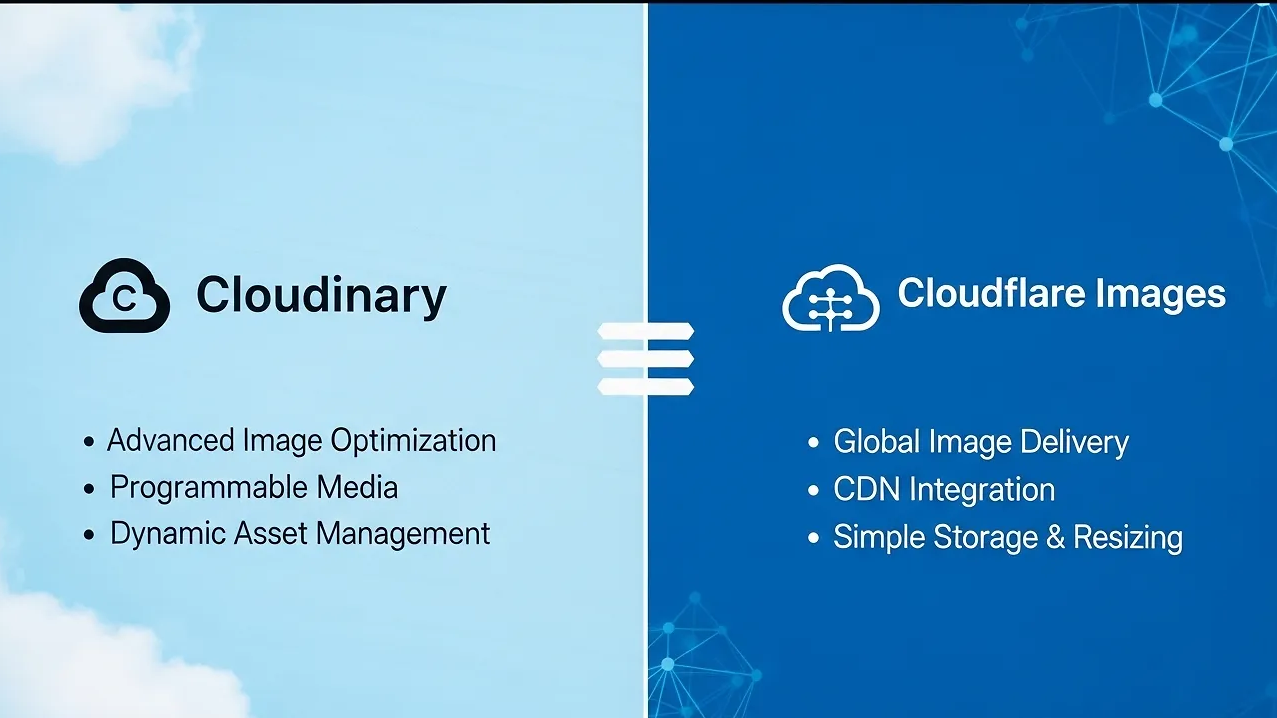
Cloudinary vs Cloudflare Images
Search volume for Cloudinary vs Cloudflare image optimization is massive because these are the two giants in the room. If you are stuck between the two, here is the 2026 verdict for SEOs:
If you are running a complex application where users upload their own content, and you need to strictly standardize, crop, and moderate those images via an API before serving them, Cloudinary wins. Their backend processing power is unrivaled.
However, if your primary goal is strictly Core Web Vitals optimization for a content site, publisher, or standard e-commerce store, Cloudflare Images is the winner.
Why? Because Cloudflare integrates image optimization directly into their global edge network. Cloudflare can cache your HTML document and your images in the exact same data center. This eliminates the need for the browser to open a separate DNS connection to a third-party image provider (like res.cloudinary.com), shaving critical milliseconds off your LCP.
Why Edge Proximity Wins Local Search
If you run a local business or a franchise in the USA, your choice of CDN directly impacts your Google Map Pack rankings.
Google’s CrUX data (which powers Core Web Vitals) tracks real-world users. Let’s say your origin server is in New York, but you are trying to rank for “HVAC repair Dallas.”
If a user in Dallas clicks your site on a 4G mobile connection, the request has to travel from Texas to New York and back. That geographic distance creates network latency, which spikes your Time to First Byte (TTFB), which in turn destroys your LCP.
By using an intelligent Image CDN, your Dallas user’s request is intercepted by an Edge Node physically located in a Dallas data center. The image is served from a few miles away, rather than across the country.
To improve LCP with edge caching for local SEO, you must ensure your chosen CDN has highly concentrated points of presence in your target geographical markets. Both Cloudflare and Fastly (which powers Imgix) have dominant infrastructure across the United States, making them ideal for dominating local USA search.
Server-Side First Contentful Paint (FCP)
Here is an expert-level optimization tactic that most developers completely miss.
When you use a third-party image CDN (like Cloudinary or Imgix), your images are hosted on a different domain than your website (e.g., your site is domain.com but your images load from images.domain.com).
When a browser parses your HTML and finds that image URL, it has to perform a new DNS lookup, establish a new TCP connection, and perform a new SSL handshake for the image domain. This delays your LCP by hundreds of milliseconds.
The 2026 Fix:
You must implement a Custom Domain (CNAME) for your Image CDN, and ensure it routes through the same HTTP/3 connection as your main site.
Furthermore, you should use <link rel=”preconnect”> in your HTML <head> to tell the browser to initiate the connection to your Image CDN in the background before it even finds the image tags in the HTML.
<link rel="preconnect" href="https://images.yourdomain.com" crossorigin>
By combining a custom image domain with a preconnect header, you eliminate the connection penalty, allowing your highly-compressed AVIF images to stream into the browser instantaneously.
FAQ: Image CDNs and Web Vitals
Yes. Plugins like Smush or Imagify optimize the image on your origin server. While they reduce the file size, your server still has to physically send that file to the user. An Image CDN combines compression with Edge Delivery, drastically reducing network latency.
Indirectly, yes. Massive, unoptimized images require significant CPU power to decode. By using an Image CDN to serve smaller, perfectly sized AVIFs, you reduce the browser’s “Image Decode” time, freeing up the main thread to respond to user interactions (improving INP).
Not if implemented correctly. Always ensure your Image CDN uses a custom sub-domain (like media.yoursite.com) rather than a generic provider URL. Ensure your canonical tags point to your domain, and ensure your XML image sitemaps are updated to reflect the CDN URLs so Googlebot can crawl them efficiently.
Conclusion: Stop Processing Images on Your Origin Server
We are in the era of marginal gains. When your competitors have great content and strong backlinks, Google looks at user experience as the final ranking tie-breaker.
Finding the best image CDN for Core Web Vitals optimization is not a luxury; it is a foundational requirement for modern technical SEO. By offloading image processing to the edge, utilizing automatic AVIF conversion, and eliminating network latency, you transform your website’s biggest liability into its greatest performance asset.
Audit your current image pipeline today. If your images are still being served from your root domain without on-the-fly edge optimization, you are leaving organic traffic and revenue on the table. Make the switch, compress the payload, and secure your rankings.
We Want to Hear From You
Have you recently migrated to Cloudflare Images, Cloudinary, or Imgix? Did you see an immediate jump in your CrUX Field Data LCP score? Drop your “Before and After” LCP times in the comments below! If you are struggling to configure your custom CDN domain, ask our community, our technical SEOs monitor the comments daily!